Description
Guardz has the ability to customise some elements of the portal to use your company brand.
This article will explain how to customise Guardz.
Requirements
Partner admin login to the Guardz portal.
The Process
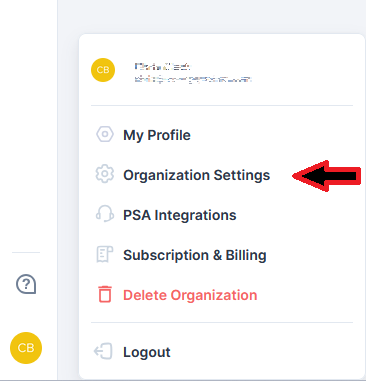
Branding can be done from the Guardz portal by clicking on your initials in the bottom left corner, and choosing
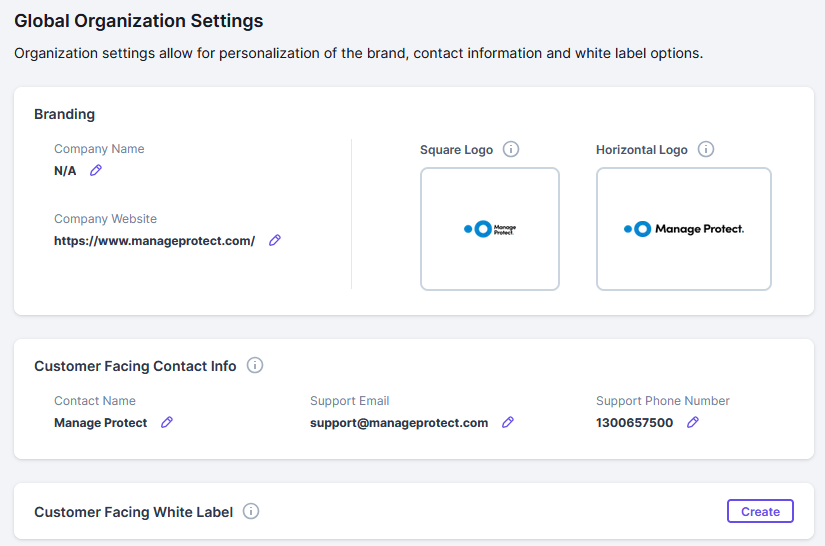
From here you can customise the company name, logos and contact information.
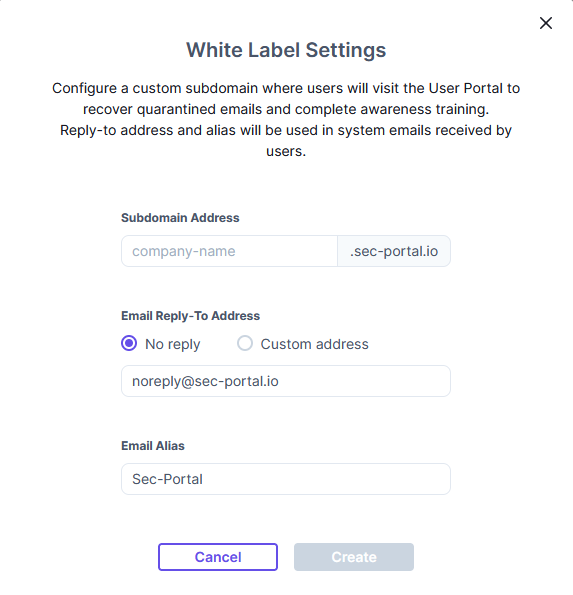
You can also click on the Create button under Customer Facing While Label to configure a subdomain and reply-to addresses and email from name.
Was this article helpful?
That’s Great!
Thank you for your feedback
Sorry! We couldn't be helpful
Thank you for your feedback
Feedback sent
We appreciate your effort and will try to fix the article